Categories
DevOps

Docker for Small Teams: A Practical Setup

Docker clicked for me when I stopped thinking of it as a deployment technology and started thinking of it as a way to check in the development environment alongside the code. A new engineer clones the repo, runs one command, and has the same database version, the same runtime, and the same environment variables as everyone else. No more “works on my machine” investigations that eat an afternoon.

For a small team – say two to eight engineers – you don’t need Kubernetes or a sophisticated orchestration layer. A well-structured Docker Compose setup covers most of what you need for local development and can scale to simple staging environments. Here’s the setup I’ve converged on after using Docker seriously for a few years.

Project structure

Keep Docker configuration at the root of the repo, not buried in a subdirectory. The main files you’ll have:

your-project/
  docker-compose.yml          # shared base
  docker-compose.override.yml # local dev overrides (gitignored)
  docker-compose.staging.yml  # staging-specific overrides
  Dockerfile                  # production image
  Dockerfile.dev              # dev image with hot reload, dev tools
  .env.example                # committed, documents required vars
  .env                        # actual values, gitignored

The split between docker-compose.yml and docker-compose.override.yml is useful: Docker Compose automatically merges them when you run docker compose up without specifying a file. The base file has the service definitions; the override adds volume mounts for hot reload, opens debugging ports, and sets development-only environment variables. New team members copy .env.example to .env, fill in any secrets, and go.

A practical compose file

# docker-compose.yml
services:
  api:
    build:
      context: .
      dockerfile: Dockerfile
    ports:
      - "3001:3001"
    environment:
      - NODE_ENV=production
      - DATABASE_URL=${DATABASE_URL}
    depends_on:
      db:
        condition: service_healthy

  db:
    image: postgres:16-alpine
    environment:
      POSTGRES_USER: ${DB_USER:-app}
      POSTGRES_PASSWORD: ${DB_PASSWORD:-secret}
      POSTGRES_DB: ${DB_NAME:-appdb}
    volumes:
      - db_data:/var/lib/postgresql/data
      - ./db/init:/docker-entrypoint-initdb.d
    healthcheck:
      test: ["CMD-SHELL", "pg_isready -U ${DB_USER:-app}"]
      interval: 5s
      timeout: 5s
      retries: 5

  redis:
    image: redis:7-alpine
    ports:
      - "6379:6379"

volumes:
  db_data:
# docker-compose.override.yml (gitignored)
services:
  api:
    build:
      dockerfile: Dockerfile.dev
    volumes:
      - .:/app
      - /app/node_modules
    environment:
      - NODE_ENV=development
    command: npm run dev

The healthcheck on the database is important. Without it, your API container starts before Postgres is ready to accept connections and you get a confusing startup error. The depends_on: condition: service_healthy syntax waits for the healthcheck to pass before starting the dependent service.

The Dockerfile

Use multi-stage builds for production images. The build stage installs all dependencies and compiles; the production stage copies only what’s needed to run. This keeps images small and avoids shipping dev tools to production.

# Dockerfile
FROM node:20-alpine AS builder
WORKDIR /app
COPY package*.json ./
RUN npm ci --only=production

FROM node:20-alpine AS runner
WORKDIR /app
COPY --from=builder /app/node_modules ./node_modules
COPY . .
EXPOSE 3001
CMD ["node", "dist/index.js"]
# Dockerfile.dev - simpler, prioritizes fast rebuilds
FROM node:20-alpine
WORKDIR /app
COPY package*.json ./
RUN npm install
COPY . .
CMD ["npm", "run", "dev"]

The COPY package*.json ./ before RUN npm install is the standard layer caching trick: Docker only re-runs the install step if package.json or package-lock.json changes. Your day-to-day rebuilds skip the install entirely.

Database migrations

Don’t run migrations inside the application startup. If two instances start simultaneously, you get a race condition. Instead, run migrations as a separate step in your deployment pipeline before the new instances come up:

# in your CI/CD pipeline
docker compose run --rm api npx prisma migrate deploy
docker compose up -d api

For local dev, you can run them on first start via the docker-entrypoint-initdb.d directory mounted into Postgres, but keep them separate from application boot in every other environment.

Useful day-to-day commands

# start everything in the background
docker compose up -d

# follow logs for a specific service
docker compose logs -f api

# run a one-off command in the api container
docker compose exec api npm run db:seed

# rebuild only the api image (after Dockerfile changes)
docker compose build api && docker compose up -d api

# wipe everything including volumes (full reset)
docker compose down -v

One workflow I’ve found useful: add a Makefile at the project root with short targets for common operations. make dev, make reset, make logs. It removes the cognitive load of remembering the right docker compose incantation when you haven’t touched a project in a week.

Avoiding the common pitfalls

Don’t mount the entire project directory in production-like environments – mount only what needs to be editable. Volume mounts bypass the layer cache and make builds unpredictable.

Use named volumes for database data, not bind mounts. Bind mounts to host paths have permission issues on Linux and behave differently on macOS.

Pin image versions in production (postgres:16.2-alpine, not postgres:latest). The official images are updated frequently and latest will eventually pull a version that changes behavior.

The Docker Compose documentation covers the full override merge logic and all service configuration options: docs.docker.com/compose/compose-file. The section on healthchecks is worth reading in full if you’re setting up a multi-service app.


Categories
Software

Git Branching Strategies That Scale

I’ve worked in codebases with no branching strategy at all – everyone committing to main, hoping for the best – and I’ve worked in codebases with elaborate branching models that required a flowchart to understand. Neither extreme is good. The ideal branching strategy is the simplest one that keeps your main branch deployable and lets multiple engineers work in parallel without stepping on each other.

What that looks like in practice depends on your team size, release cadence, and whether you’re doing continuous deployment or scheduled releases. Here’s how I think about the common models and when each one earns its complexity.

Trunk-based development: the floor, not the ceiling

Trunk-based development (TBD) means everyone commits to a single branch (usually called main or trunk) frequently – ideally multiple times a day. Feature branches exist but are short-lived, measured in hours to a day or two at most. Long-lived feature branches are considered a smell.

This sounds chaotic if you haven’t tried it, but it’s the model behind how most high-performing engineering teams ship software. The discipline comes from feature flags and a test suite you trust. Incomplete features ship behind a flag that’s off in production; you merge the code before the feature is ready to show users.

# Example: simple feature flag check in application code
def render_new_dashboard(user):
    if feature_flags.is_enabled('new_dashboard', user_id=user.id):
        return render_template('dashboard_v2.html')
    return render_template('dashboard.html')

The payoff: integration problems surface immediately. You spend zero time resolving massive merge conflicts from a two-week-old branch. Your CI runs on code that reflects the actual state of the codebase rather than a parallel universe that diverged a week ago.

Where it breaks down: if your CI is slow (more than ten minutes to a green run), trunk-based development becomes painful. If you don’t have feature flags, half-finished work leaks into production. And if your team doesn’t have a culture of small commits, you end up with giant commits to main that are just as hard to review and revert as a big branch merge.

GitHub Flow: lightweight and honest

GitHub Flow is the simplest model that adds a review step. The rules are: main is always deployable; all work happens in a branch off main; branches are merged via pull request after review; merged code is deployed promptly.

git checkout main
git pull origin main
git checkout -b feature/OC-123-add-csv-export
# ... work ...
git push origin feature/OC-123-add-csv-export
# open PR, get review, merge, deploy

The branch naming convention doesn’t matter much – what matters is that branches are short-lived. I’ve seen “GitHub Flow” degenerate into branches that sit open for two weeks waiting for review, which removes most of the benefit. If PRs aren’t getting reviewed within a day, the bottleneck is process, not branching.

GitHub Flow is the right default for most teams shipping a web product continuously. It’s simple enough to explain in five minutes, integrates with every CI/CD system naturally, and doesn’t require ceremony.

Git Flow: when you need scheduled releases

Git Flow was introduced by Vincent Driessen in 2010 and became the dominant model for a while. It uses multiple long-lived branches: main (production), develop (integration), feature branches off develop, release branches that freeze features and allow only bug fixes, and hotfix branches off main for emergency patches.

This model makes sense when you have scheduled releases – say, a versioned SDK or a mobile app that goes through an app store review. The release branch gives you a stabilization period without blocking new feature work on develop.

It does not make sense for a web product that deploys multiple times a day. The overhead of maintaining two long-lived branches (main and develop), creating release branches, and merging hotfixes into both is real. I’ve seen teams cargo-cult Git Flow onto a continuous deployment web app and spend 20% of their git time on bookkeeping that adds zero value.

Branch naming and commit hygiene

Regardless of the model, a few conventions make git history actually useful:

Name branches by ticket ID and a short description: feature/OC-456-user-notifications or fix/OC-789-null-pointer-login. The ticket ID makes it easy to trace a branch to a requirement.

Write commit messages that explain the why, not the what. The diff shows what changed. “fix null pointer on login when user has no profile” is more useful than “fix bug”. The conventional commits spec (conventionalcommits.org) is worth reading – it formalizes a message structure that tooling (changelog generators, release scripts) can parse.

feat(auth): add magic link login for enterprise accounts

Adds a passwordless login flow using time-limited tokens.
Required by enterprise customers who cannot use OAuth providers.
Refs: OC-892

Squash merge vs. merge commit is a preference call. Squash gives you a clean history where each PR is one commit – good for git log --oneline readability. Merge commits preserve the full development history. I prefer squash for feature branches and merge commits for release branches.

Scaling to a larger team

Once a team grows past about fifteen engineers, a few things change. Code review becomes a bottleneck unless you have clear ownership (CODEOWNERS files help). Long-lived feature branches become more tempting because coordinating across teams on a fast-moving trunk is harder.

The answer isn’t a more complex branching strategy – it’s better tooling. Merge queues (supported natively in GitHub and GitLab) serialize competing PRs and run CI on the projected merged result before actually landing the commit. This eliminates a class of “passed CI on my branch but broke main” incidents that become more common as the team grows.

The Git documentation on branching is worth reading even if you’ve used Git for years – the mental model of what branches actually are (pointers to commits) clarifies a lot of edge cases: git-scm.com/book/en/v2.

Whatever model you pick, the most important thing is that the team understands it and applies it consistently. A mediocre branching strategy applied consistently beats a perfect one that people route around.

Categories
SaaS

Payment Processing for SaaS: From Billing to Scale

SaaS payment processing isn’t a one-off checkout – it’s the infrastructure that keeps recurring revenue flowing month after month, across multiple currencies, with automatic recovery when cards fail. Getting it right early prevents the painful and churn-risky migration that comes from outgrowing a setup that was built for your first hundred customers.

Key takeaways

  • Recurring billing requires tokenization, retry logic, and proration handling – not just the ability to push a card charge on demand.
  • Industry benchmarks put first-attempt failure rates at 5-10%; a dunning sequence with scheduled retries and email prompts recovers the majority without customer intervention.
  • Network tokenization auto-updates stored cards when reissued, cutting involuntary churn from expiry – a meaningful gain for any subscription model.
  • A 13-currency wallet and local-currency billing change the economics of international SaaS meaningfully versus converting every transaction at the processor’s rate.
  • The best time to get payment infrastructure right is before billing complexity outpaces your setup – migrating tokens and retry logic carries real churn risk.

At some point in every SaaS company’s growth, the payments setup that got you to your first hundred customers stops being good enough. You’re billing monthly and annually. You have customers in five countries who pay in different currencies. Someone on the team is manually chasing failed renewals every week. And the integration you bolted together eighteen months ago is starting to creak.

Payment processing for SaaS isn’t just a gateway for one-off charges. It’s infrastructure – and it needs to be built like it.

Why Payment Processing for SaaS Is Different

A consumer buying a pair of shoes online needs one transaction to go through once. A SaaS customer needs their payment to work on the same day every month, for as long as they’re a subscriber.

That distinction changes everything. Where a retail checkout is optimised for conversion, a SaaS billing system is optimised for reliability. A failed payment in e-commerce is a lost sale. A failed payment in SaaS is involuntary churn – and involuntary churn is one of the hardest metrics to recover.

SaaS payment processing also tends to involve more complexity than a single checkout page. You might offer monthly and annual plans, seat-based pricing, usage-based tiers, free trials with card capture, and mid-cycle upgrades. Each of those requires a billing layer that understands proration, credit, and retry logic – not just the ability to push a card charge.

Recurring Billing: The Engine Under Your Revenue Model

Recurring billing is the mechanism that turns a one-time signup into monthly recurring revenue. The basics are straightforward: you tokenise the customer’s card at the point of signup, store the token, and charge against it on each billing date.

What makes it complex in practice is everything that surrounds that loop. Subscription payment processing needs to handle plan changes mid-cycle. It needs to deal with customers who pause and reactivate. It needs to issue accurate prorations when a customer upgrades from a lower tier on day 12 of a 30-day cycle.

For multi-market SaaS, there’s a currency layer on top. If you’re billing customers in EUR, GBP, SGD, and USD, your payment infrastructure needs to handle all of those natively – ideally in a way that lets you hold balances in each currency rather than converting every transaction at whatever rate the processor applies that day. A 13-currency wallet changes the economics of international billing meaningfully.

Managing Failed Payments and Involuntary Churn

Industry benchmarks suggest that 5 to 10% of recurring payments fail at the first attempt. Most of those failures are soft declines – temporary issues with the card or the issuing bank, not permanent problems. The majority can be recovered with a retry.

Dunning management is the practice of systematically retrying failed charges and communicating with customers to update card details before their subscription lapses. Done well, it recovers the bulk of those soft declines without the customer ever realising there was an issue.

An effective dunning setup involves: immediate retry on soft decline, a scheduled retry sequence over the following days, and an email sequence that prompts the customer to update payment details if retries exhaust. For high-value annual subscriptions, proactive card expiry notifications (sent before the card expires, not after it fails) are worth building in.

Network tokenisation makes a meaningful difference here. When a customer’s physical card is reissued or expires, the card network can update the token automatically – meaning your stored payment method keeps working without the customer needing to take any action. For a SaaS platform, that translates directly into fewer involuntary churns from card expiry alone.

Compliance and Tokenisation for SaaS Platforms

SaaS platforms that store payment methods are responsible for how those payment credentials are handled. You don’t want to store raw card numbers – that creates PCI scope you don’t need and liability you definitely don’t want.

Tokenisation solves this. Your payment provider holds the actual card data in a secure vault; you hold a token that references it. Your database, your CRM, your billing system – they all see tokens, not card numbers. Even if someone breaches your systems, there’s nothing there that can be used to make a fraudulent charge.

For SaaS billing integration, the practical question is whether your payment provider handles tokenisation as a default and whether those tokens work across the channels you need: web checkout, API-driven charges, and any mobile experience you have or plan to build.

A recurring payment gateway for SaaS should also handle 3DS (3D Secure) challenges appropriately – applying them when the card issuer requires it but not adding unnecessary friction to returning customers who’ve already established a payment method.

Choosing a Payment Partner That Scales With Your SaaS

The payment API for software companies that makes sense at ten customers may not make sense at ten thousand. When you’re evaluating providers, there are a few dimensions that matter specifically for SaaS.

API quality. Your billing logic needs to integrate cleanly. A well-documented REST API with clear error codes, webhook support, and sandbox environments is the baseline. Embedded payments – where payment functionality lives inside your own product interface rather than redirecting to an external provider – requires an API that can support that architecture.

Multi-currency billing. If you plan to serve international customers, you need a payment infrastructure that supports billing in local currencies, holding multi-currency balances, and settling to your home currency on your schedule – not the processor’s.

Pricing model alignment. No setup fee and no monthly fee means your payment cost scales with your revenue. For early-stage SaaS, that matters. Volume discounts as you scale mean the unit economics improve rather than staying flat.

Card network breadth. For multi-market SaaS, accepting Visa, Mastercard, Amex, JCB, and UnionPay covers the full range of customer card types across Asia-Pacific and beyond.

All-in-one consolidation. The fewer payment tools you’re maintaining, the simpler your operations. A platform that handles online payments, multi-currency wallet, API disbursements, and batch payouts in one integration reduces the number of things that can go wrong.

Building a Reliable Payments Foundation

The best time to get your payment infrastructure right is before your billing complexity outpaces your setup. Migrating a recurring billing system – porting tokens, rebuilding retry logic, communicating with customers about payment method updates – is operationally expensive and carries real churn risk.

If you’re evaluating or rebuilding your payment stack, the payment processing business guide at ONE Payments covers the practical considerations for SaaS and subscription-based businesses – including how to think about API-first infrastructure, embedded finance, and omni-channel payment acceptance that grows with your model.

For background on recurring billing standards and compliance, the PCI Security Standards Council publishes relevant guidance on stored credential handling for subscription merchants.

Related reading

Categories
DevOps

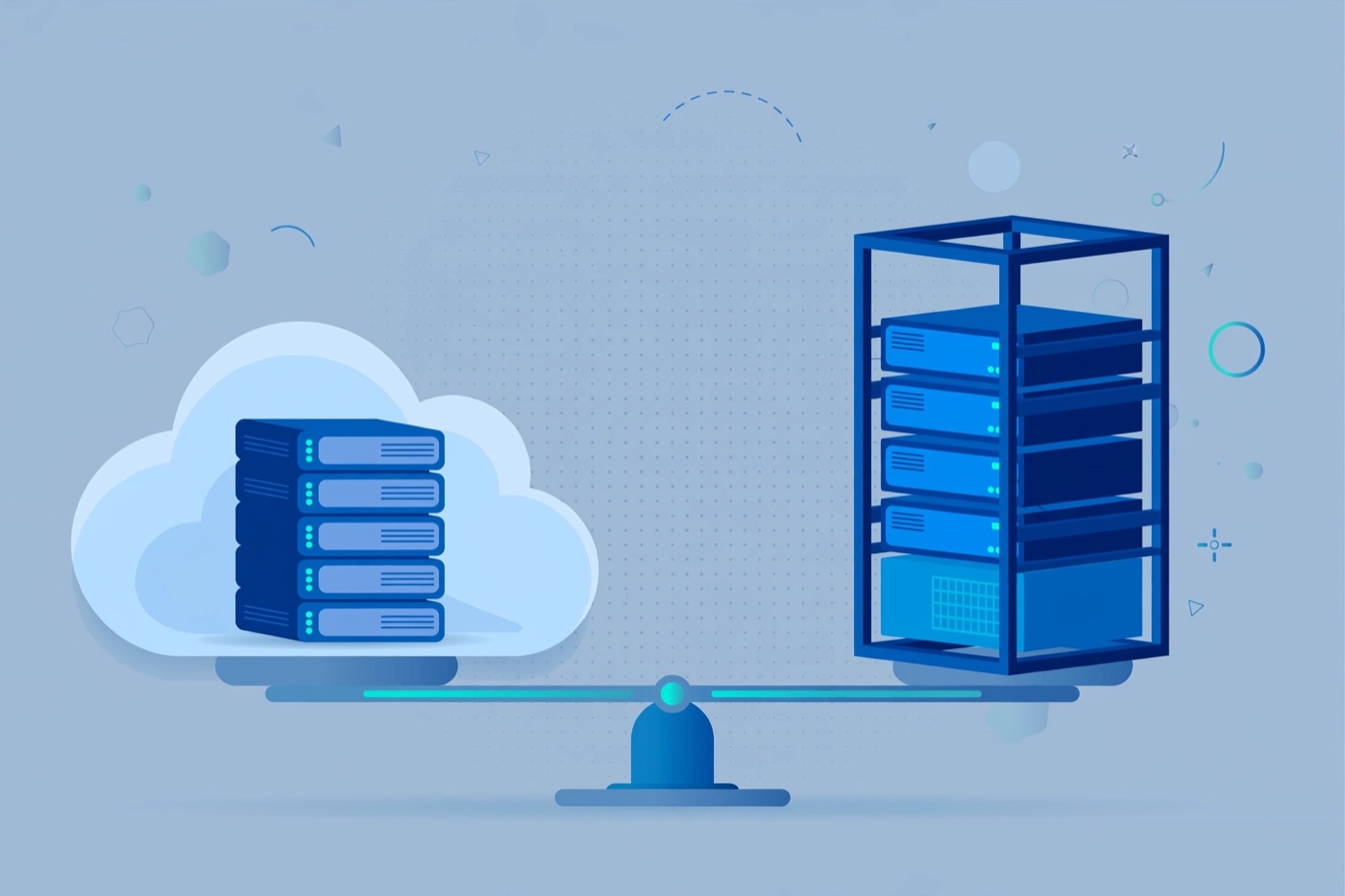
Self-Hosted vs Managed: When to Run Your Own Server

There’s a recurring debate in every developer Slack I’ve been part of: should we run our own servers or pay someone else to manage them? The question used to feel ideological – self-hosting was the principled choice, managed was for people who didn’t want to learn operations. These days I think about it differently. It’s a pure cost-of-attention calculation, and the answer changes based on your team size, traffic shape, and what you’re actually building.

I’ve run both. For a few years I managed bare-metal servers at a small company – enjoyed it, learned a lot, and would not recommend it for a product team that has any other choice. I’ve also watched teams burn weeks on infra problems that a managed service would have handled invisibly. Here’s how I think through the decision now.

What “managed” actually means

Managed services come in several tiers. At the PaaS end (Heroku, Render, Railway, Fly.io), you hand over a Dockerfile or a Git repo and the platform handles OS patching, node provisioning, rolling deploys, and basic scaling. You pay a premium per compute unit but get back dozens of hours you’d otherwise spend on configuration.

Managed databases (RDS, Neon, PlanetScale, Supabase) go further – they handle backups, replication, minor version upgrades, and connection pooling. Running Postgres in a container yourself is not hard, but running it in production with proper backup verification, failover, and monitoring is a different project.

At the IaaS end (EC2, Hetzner Cloud, DigitalOcean Droplets) you get raw VMs and own everything above the hypervisor. This isn’t “self-hosted” in the traditional sense – you’re still renting compute – but the operational burden is much closer to owning hardware than it is to using a PaaS.

The real cost of running your own infrastructure

People usually compare managed vs. self-hosted on the monthly invoice. That comparison misses most of the cost. Consider what running your own infrastructure actually requires:

OS and package updates need to happen on a schedule. Unpatched servers are a liability. If you’re running three VMs, that’s manageable with a cron job and some Ansible. If you’re running thirty, it’s someone’s job.

Backups need to exist and need to be tested. “We have backups” and “we have tested restores” are different statements. A managed database that runs daily snapshots and lets you restore to a point in time with two clicks is not a luxury – it’s risk management.

Incident response is yours when you own the infrastructure. At 2am, the on-call person debugging a disk-full PostgreSQL crash would rather be debugging your application than the infrastructure underneath it.

# example: simple ansible playbook to keep a fleet of Ubuntu servers updated
- name: Apply security patches
  hosts: all
  become: true
  tasks:
    - name: Run apt upgrade
      apt:
        upgrade: safe
        update_cache: true
        cache_valid_time: 3600

    - name: Remove unused packages
      apt:
        autoremove: true
        purge: true

This kind of automation is table stakes if you’re managing your own nodes. It’s not complicated, but it takes time to build and test.

When self-hosting wins

Cost at scale is the most common legitimate reason. If you’re running hundreds of compute-hours per day, the managed premium adds up to real money. At that point you also have an ops team, and the labor cost of running your own infrastructure is amortized over enough value that it makes sense.

Data residency and compliance requirements sometimes force the issue. Some contracts require data to stay in a specific jurisdiction, in an environment you control and can audit. A shared PaaS with multi-tenant underlying infrastructure may not satisfy those requirements.

Specific hardware needs push you off managed options. GPU workloads, high-memory single-node jobs, bare-metal for latency-sensitive networking – managed options exist but are limited, expensive, or both.

Some open-source software runs better self-hosted than it does on a managed equivalent. I’ve seen this with Elasticsearch clusters in particular – the managed versions add overhead and limit configuration in ways that matter at high query volumes.

When managed wins

Almost every other case. If you’re a team of one to five engineers building a product, your time is the scarcest resource. Every hour spent on infrastructure is an hour not spent on features or customers.

Early-stage products especially benefit from managed services because the traffic shape is unpredictable. A PaaS that scales to zero when there’s no traffic and up when there is costs nothing at low usage and doesn’t require you to provision capacity in advance.

Managed databases have become particularly good. Neon’s branching model (a separate DB branch per pull request, created automatically) is something you’d spend weeks building yourself. PlanetScale’s schema migration tooling eliminates the “migrate a production database with zero downtime” class of problem. These aren’t just convenience features – they change how you work.

A practical decision framework

I use a rough checklist:

– Is the monthly managed cost less than four hours of engineering time? Use managed, no discussion.
– Does a specific compliance requirement force self-hosting? Document it, then self-host intentionally with proper automation.
– Are you running more than 20 nodes? You should have infrastructure tooling (Terraform, Ansible, or a platform team) regardless of whether they’re managed or not.
– Is the thing you want to self-host something you could recover from a complete failure in under an hour? If not, reconsider.

The Hetzner Cloud documentation has useful pricing comparisons if you’re evaluating the cost side of this: hetzner.com/cloud. For managed Postgres specifically, Neon’s docs explain their branching model well: neon.tech/docs/introduction.

The answer to “should I self-host?” almost always comes down to: how much infrastructure headcount do you have, and what are you actually optimizing for? Most teams should default managed and revisit the question when the costs become genuinely significant.

Categories
SaaS

Choosing a Tech Stack for a Small SaaS in 2026

Every few months someone posts a “what stack should I use for my SaaS?” thread and the replies devolve into a holy war. Having shipped a few small products and helped others pick theirs, I’ve come to believe the question is almost always the wrong one. The right question is: what does your team already know, and what will let you validate in four to six weeks?

That said, 2026 has a clearer landscape than 2021 did. The churn has slowed. Some choices have become obvious defaults, and I’ll walk through the ones I’d actually make if starting fresh today.

Frontend: stick with React unless you have a strong reason not to

The ecosystem around React is massive – Next.js, Remix, TanStack Router, a dozen UI component libraries, and more hiring options than any other framework. For a small SaaS, that hiring optionality matters even at day one, because you’re eventually going to hand something off or bring someone in.

Next.js 14+ with the App Router is my default. Server Components cut the amount of client-side JS you ship, which matters for perceived performance and Core Web Vitals. The file-based routing is predictable enough for a solo founder to maintain. If your app is highly interactive and server rendering buys you nothing, Remix is worth a look – its form handling model is genuinely good for CRUD-heavy dashboards.

For styling I’d pick Tailwind CSS with a headless component library like Radix UI or shadcn/ui. You get accessible primitives without fighting a design system someone else built. The component catalogue at ui.shadcn.com is worth bookmarking.

Backend: the boring stack wins

If your team writes TypeScript, a Node backend with Fastify or Express keeps the language consistent and reduces context switching. Fastify’s schema-based validation with JSON Schema is underrated – it documents your API while it validates it.

import Fastify from 'fastify'

const app = Fastify({ logger: true })

app.get('/health', async (req, reply) => {
  return { status: 'ok' }
})

app.listen({ port: 3001, host: '0.0.0.0' })

If you’re coming from Python, Django REST Framework is still a strong choice – it has the widest library support for things like background tasks, auth, and admin interfaces. FastAPI is faster and has better type hints, but the ecosystem around DRF (especially for auth and multi-tenancy) is deeper.

Go is worth considering if you expect high concurrency early or if you’re building something infrastructure-adjacent. The standard library covers a lot without dependencies, and deployment is a single binary. The tradeoff is slower initial development velocity.

Database: Postgres, almost always

Postgres is the right default for the vast majority of SaaS applications. It handles relational data, JSONB columns for semi-structured fields, full-text search, and with pgvector it now handles vector embeddings too. You can run it managed on AWS RDS, Neon, Supabase, or Railway. The operational knowledge is widely available.

The only time I’d reach for something else immediately is if the data model is fundamentally graph-shaped (consider Neo4j) or if you’re building a time-series product from the start (TimescaleDB or ClickHouse). For everything else, start Postgres and migrate later if you hit a genuine ceiling.

Use an ORM or query builder – raw SQL in application code without some abstraction becomes a maintenance problem. Prisma is popular in the TypeScript world and its migration tooling is solid. SQLAlchemy is the Python equivalent. Both generate the schema from your code and keep migrations version-controlled.

Auth: don’t build it yourself

Auth is one of the few areas where “buy vs. build” has a clear answer for a small SaaS: buy it. The edge cases in authentication – session fixation, CSRF, token rotation, magic links, SAML for enterprise customers – are genuinely hard to get right and not where you want to spend two sprints.

Clerk, Auth0, and Supabase Auth are all workable. Clerk has the best developer experience for Next.js specifically. Auth0 is better if you need SAML/SCIM for enterprise from day one. If you’re already on Supabase for the database, their auth is fine and saves you an integration.

Hosting and infrastructure

For the early stage, managed hosting beats infrastructure-as-code. Railway, Render, and Fly.io all let you deploy a Docker container with a database and get a working URL in an hour. Save Terraform and ECS for when you have actual scale reasons to invest in them.

Object storage is S3 or a compatible alternative (Cloudflare R2 is cheaper for egress-heavy use cases). CDN is Cloudflare – free tier is sufficient for most small SaaS apps.

The stack I’d actually use today

If I were starting a B2B SaaS solo or with one other person in 2026, I’d use: Next.js + Tailwind + shadcn/ui on the frontend, Fastify with TypeScript on the backend, Postgres via Neon for the database, Prisma for ORM, Clerk for auth, and Fly.io or Railway for hosting. This stack lets two people move fast, has good hiring options when the team grows, and avoids building infrastructure that doesn’t differentiate the product.

The one thing I’d add that’s newer: budget time for observability from day one. A structured logger, error tracking like Sentry, and basic uptime monitoring cost almost nothing and save hours of debugging production issues blindly. More on that in a separate post.

The official Next.js docs are worth reading cover to cover once: nextjs.org/docs. And the Fastify documentation is unusually good for a Node framework: fastify.dev/docs.